Draw
Use pen, brush, tone, eraser, and shape tools with three layers and a fixed palette to create crisp pixel artwork.
Pixel Animation Workstation
Project Ugomemo is a desktop animation tool for making small, frame-based pixel animations with drawing, playback, and audio synchronization in one workspace.
Current latest test release: v0.1.5-test. Available from GitHub Releases for macOS Apple Silicon DMG and Windows x64 EXE/MSI.
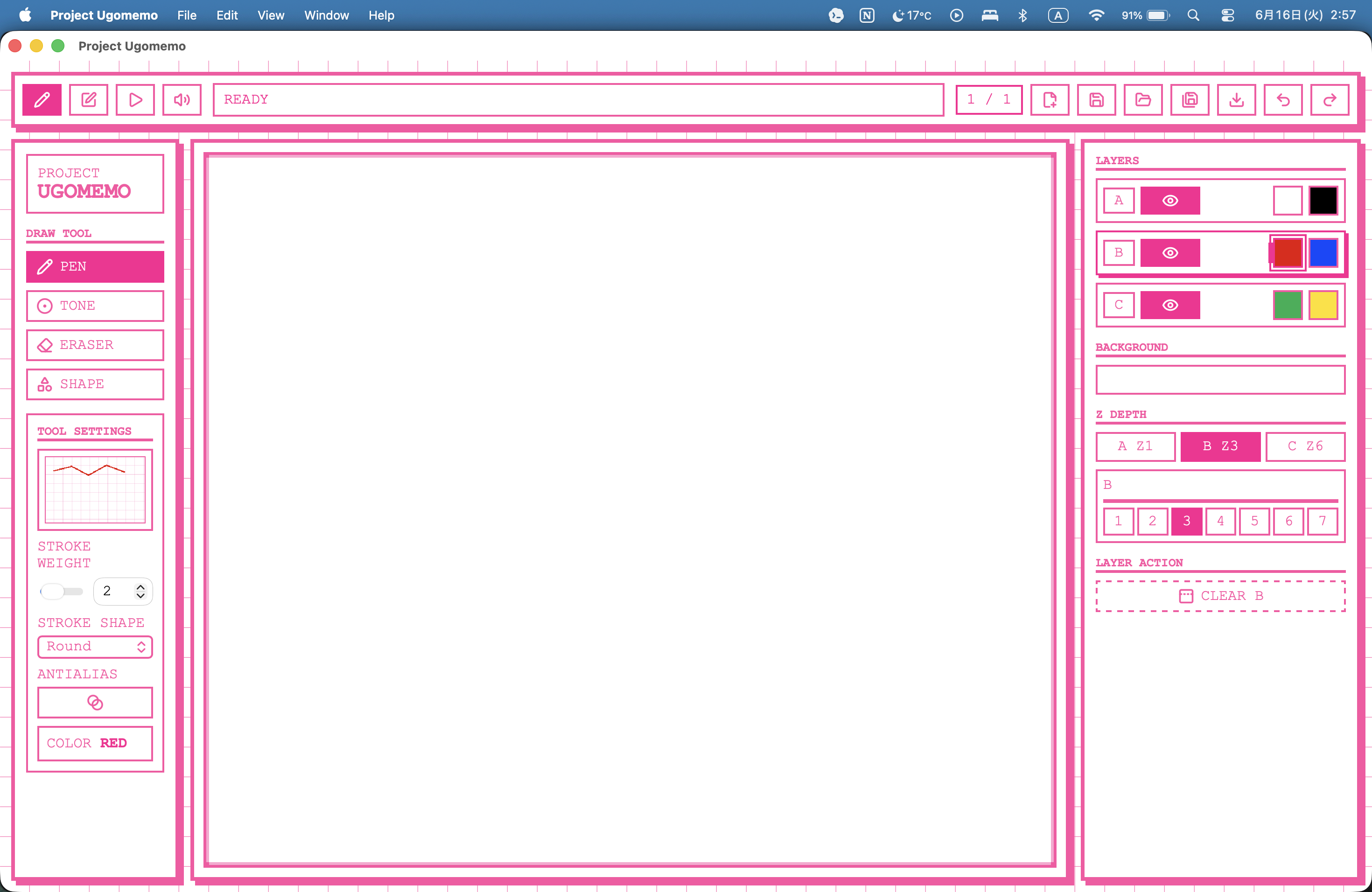
Use pen, brush, tone, eraser, and shape tools with three layers and a fixed palette to create crisp pixel artwork.
Review the frame rail, switch FPS and speed, and quickly check the motion of your animation.
Add materials, record audio, arrange four tracks, mix levels, and sync playback to frame timing.
Project Ugomemo is currently an early test build. The latest confirmed release is v0.1.5-test, published on GitHub Releases.
The current release page provides a macOS Apple Silicon .dmg build and
Windows x64 .exe / .msi installers. Use the Releases page as
the download entry point so you can choose the matching asset.
Project Ugomemo is designed as a small animation workspace where you can draw a frame, add the next one, play it back, and attach sound without leaving the app.
The goal is not to build a general-purpose professional animation suite, but to create a lightweight tool for fast frame animation experiments.
Core tools are grouped by the way you work: draw frames, check motion, sync sound, save projects, and export results.
Pen, Brush, Tone, Eraser, Shape
Frame-based editing, page/frame rail, onion skin
Three drawing layers: A / B / C
FPS selector, speed control, preview playback
Add audio materials, record, arrange four tracks, mix levels, and sync to frames
.upj project save/load
Image export, video export, and audio/video export
One sample is currently published. More works, export examples, and sample projects are planned as the app develops.
A short looping animation drawn, timed, and exported entirely in Project Ugomemo.
A Tauri desktop app with a React UI and Rust-backed native commands.
Project Ugomemo uses .upj, a portable project package that stores frame images,
layer data, project metadata, and Audio Mode timeline state.
For detailed behavior, implementation notes, and developer-facing information, see the README.